SEO feels overwhelming until you understand what it actually is.
Most of the intimidation comes from the industry around it — the agencies, the jargon, the promise that search visibility is some complex dark art that requires a retainer and six months of waiting.
On-page SEO is not that. On-page SEO is the set of things you control on your own website — and most of them are straightforward. Some of them you can fix this afternoon.
Here’s the practical version for small businesses in Oxford, Brant, and Norfolk County who want to show up better in local search — without needing an agency to explain it.
What On-Page SEO Actually Is
SEO has two broad categories. On-page SEO is everything you control on your website: your page titles, your content, your headings, your image descriptions, how your pages link to each other. Off-page SEO is everything outside your website: backlinks from other sites, Google Business Profile signals, reviews.
Both matter. But on-page is where you start — because it’s entirely in your control and it’s the foundation everything else builds on.
Why Google cares about on-page signals
Google’s job is to return the most relevant result for a given search. On-page signals are how you tell Google what your page is about — clearly enough that it can match your page to the right search queries.
If your plumbing services page doesn’t use the phrase “plumber in Brantford” anywhere on it, Google has less reason to show it when someone in Brantford searches for a plumber. It sounds simple. Most small business websites still get this wrong.
Page Titles and Meta Descriptions
These are the two pieces of text that appear in Google search results: the blue clickable title and the grey description below it.
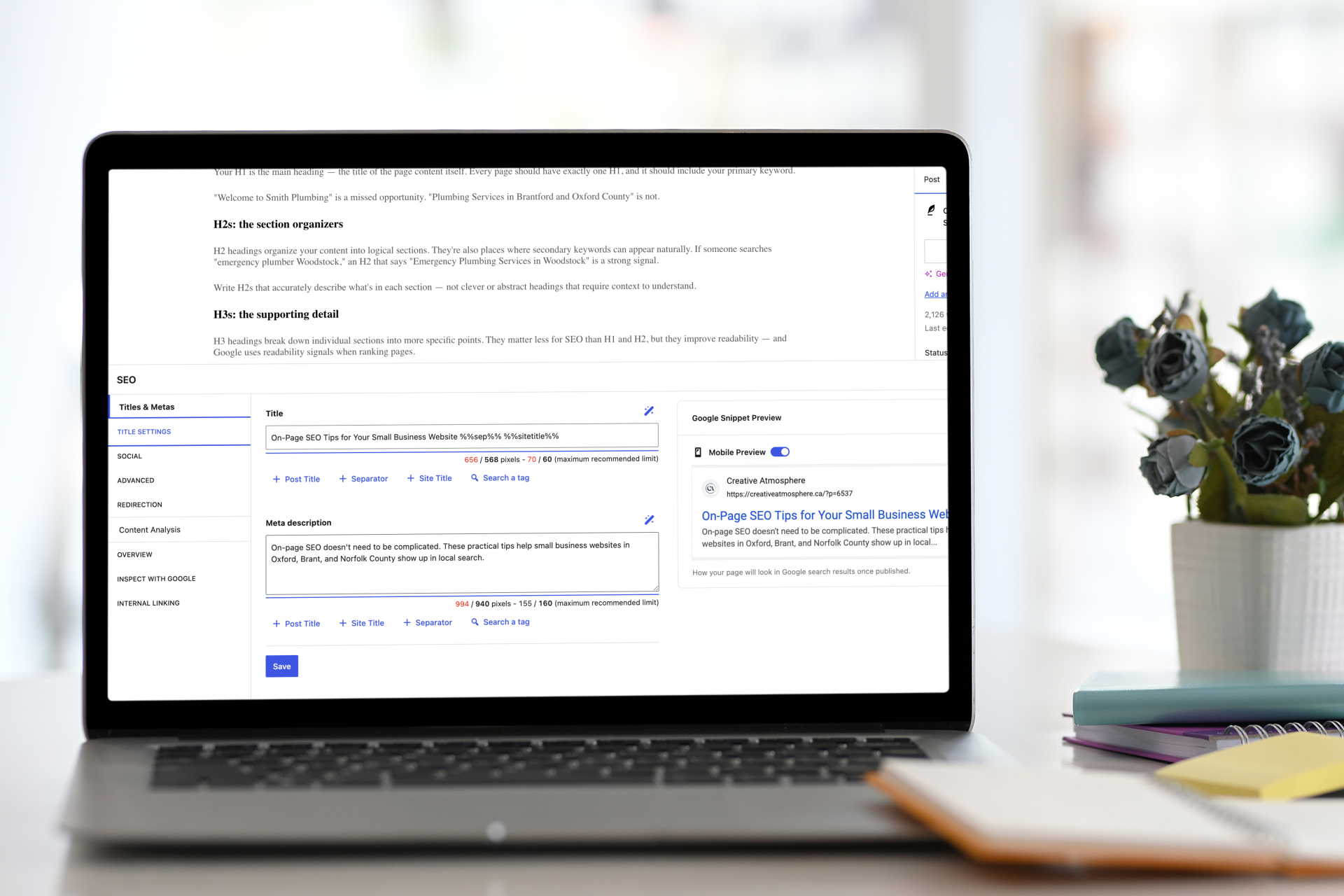
Page title (title tag)
Your page title is the single most important on-page SEO element. It should:
- Include your primary keyword — the specific phrase you want this page to rank for
- Be under 60 characters so it doesn’t get cut off in search results
- Clearly describe what the page is about
- Include your location for local service pages (e.g. “Plumbing Services in Brantford | Your Business Name”)
Every page on your site should have a unique title. If you have three service pages all titled “Services — Your Business Name,” Google doesn’t know which one to show for which query.
Meta description
Your meta description doesn’t directly affect your ranking. But it affects whether people click. A strong meta description tells the searcher what they’ll find on the page and gives them a reason to choose your result over the others.
Keep it under 155 characters. Include your keyword naturally. Think of it as a two-sentence pitch to someone already looking for what you do. For local businesses, mention your location: “Serving Woodstock, Ingersoll, and Oxford County.”
If you’re on WordPress, a plugin like Rank Math or Yoast makes editing page titles and meta descriptions straightforward — no code required.
Headings: H1, H2, and H3
Headings are not just visual formatting. They’re structural signals that help Google understand the hierarchy and content of your page.
The H1: one per page, and make it count
Your H1 is the main heading — the title of the page content itself. Every page should have exactly one H1, and it should include your primary keyword.
“Welcome to Smith Plumbing” is a missed opportunity. “Plumbing Services in Brantford and Oxford County” is not.
H2s: the section organizers
H2 headings organize your content into logical sections. They’re also places where secondary keywords can appear naturally. If someone searches “emergency plumber Woodstock,” an H2 that says “Emergency Plumbing Services in Woodstock” is a strong signal.
Write H2s that accurately describe what’s in each section — not clever or abstract headings that require context to understand.
H3s: the supporting detail
H3 headings break down individual sections into more specific points. They matter less for SEO than H1 and H2, but they improve readability — and Google uses readability signals when ranking pages.
Content: What You Say and How You Say It
Content is where Google makes most of its decisions about whether a page is actually useful. Technical SEO without good content is foundation without a house.
Write for people first, Google second
This isn’t a platitude. Pages that genuinely answer questions, explain services clearly, and demonstrate expertise tend to rank better than pages optimized for search engines at the expense of readability.
If your services page is mostly bullet points and keywords but a potential client couldn’t actually learn anything from it — you have a content problem that no amount of metadata fixes.
Use your keyword naturally — not obsessively
Your primary keyword should appear in your H1, in the first 100–150 words, in at least one H2, and naturally throughout the page. “Naturally” means the way you’d actually write about the topic.
“Our plumbing services in Brantford cover all your Brantford plumbing needs across Brantford and the Brantford area” is not natural. It’s keyword stuffing, and Google treats it as a negative signal.
Match length to the topic
There’s no universal magic word count. A service landing page might do its job in 400 words. A guide on “how to choose a web designer” might need 1,500. The right length is: long enough to actually cover the topic, short enough that you’re not padding.
That said, thin content — pages with fewer than 300 words that don’t say much — tends to rank poorly. Give Google something to index.
Location content: be specific
For local businesses across Oxford, Brant, and Norfolk County, location-specific content is a significant opportunity. Mentions of Woodstock, Brantford, Simcoe, Tillsonburg, Delhi, Ingersoll, or other specific communities throughout your content help Google understand your service area.
This doesn’t mean stuffing every page with city names. It means writing naturally about where you work. “We’ve serviced homes across Norfolk County, from Delhi to Simcoe” is natural and local. That’s the target.
Image Optimization
Images contribute to on-page SEO in two ways: file size (which affects load speed) and alt text (which tells Google what the image is).
Alt text
Alt text is a brief description of an image. It was originally designed for accessibility — screen readers use it to describe images to visually impaired users. Search engines also read it to understand image content.
Descriptive, keyword-relevant alt text is an easy on-page win most small business websites miss. “IMG_4832.jpg” as a filename with no alt text tells Google nothing. “Bathroom renovation completed in Brantford Ontario” tells Google quite a bit.
File size and load speed
Large uncompressed images are one of the most common reasons small business websites load slowly. Before uploading photos to your site, resize them to no larger than 1,500px on the longest side and compress them using a tool like Squoosh or TinyPNG.
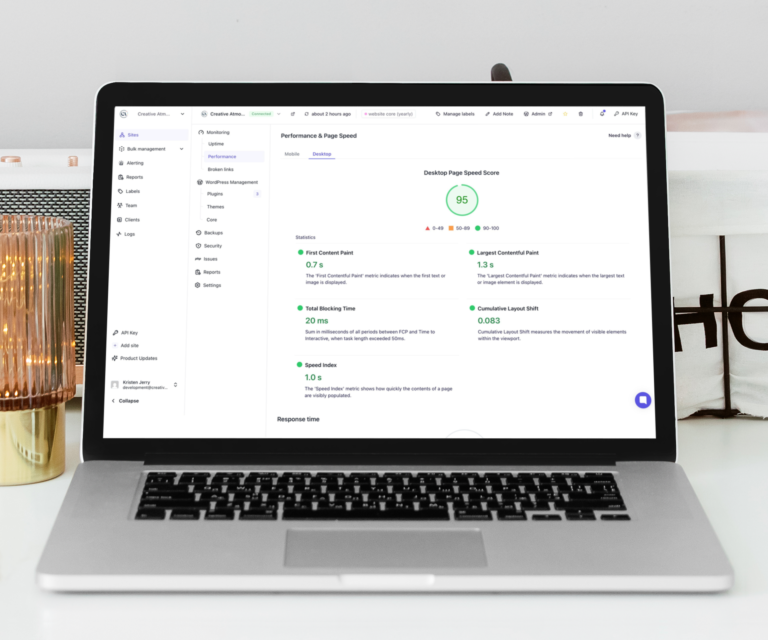
Page load speed is a Google ranking factor. A site that loads in under 2 seconds ranks better than the same site loading in 5 seconds. Images are usually the fastest win.
Internal Linking
Internal links are links from one page on your site to another. They help Google understand the structure of your site and distribute “link authority” across your pages.
Link to your most important pages
Your homepage and core service pages should be linked from multiple places on your site. A blog post about “how to maintain your deck” should link to your deck building or exterior services page. An article about branding should link to your branding services page.
These links are contextual signals. When Google sees your blog consistently linking to your services page with relevant anchor text, it understands that page is important.
Use descriptive anchor text
Anchor text is the clickable text of a link. “Click here” or “learn more” is a missed opportunity. “Brantford web design services” or “WordPress care plans” are descriptive, keyword-relevant, and useful to both readers and search engines.
Local SEO Signals on Your Website
For local service businesses, a few additional on-page elements specifically help you rank in local searches.
NAP consistency: name, address, phone
Your business name, address, and phone number should appear consistently on your website — and match exactly what’s listed on your Google Business Profile and other directory listings.
Inconsistencies (different phone numbers, abbreviated vs. full addresses) create confusion in Google’s local index. Keep it consistent.
Service area pages
If you serve multiple cities or regions, dedicated pages for each service area can significantly improve local ranking. A page titled “Web Design Services in Brantford” with genuine content about your work in Brantford signals local relevance in a way that a generic services page can’t.
These don’t need to be identical pages with different city names swapped in — Google penalizes that. But a real page with genuine local content and context is a strong local SEO asset.
Schema markup
Schema markup is structured data you add to your site to help Google understand your business information — type of business, service area, hours, reviews. Plugins like Rank Math make adding LocalBusiness schema straightforward without any code.
It’s not required, but it’s a meaningful signal for local search — and most small business sites don’t have it.
What NOT to Do
Keyword stuffing
Repeating your keyword unnaturally throughout the page used to work in 2010. Now it actively hurts rankings and makes your content unreadable. Write naturally.
Duplicate page titles and meta descriptions
Every page should be unique. If your site has dozens of pages all with the same or similar title tags, Google doesn’t know which to prioritize.
Thin service pages with no content
“We offer great plumbing services. Call us today.” is not a service page — it’s a placeholder. Give each service page enough genuine content to actually be useful.
Ignoring mobile
More than half of search traffic is on mobile. A site that’s hard to use on a phone will rank below mobile-friendly competitors. Check your site on your own phone regularly.
FAQ
How long does it take to see results from on-page SEO?
For a new or recently updated page, Google typically needs 2–6 weeks to crawl, index, and factor in the changes. In competitive categories, meaningful movement can take 3–6 months. Local searches in smaller Ontario markets often move faster — less competition means changes show results sooner.
Do I need a plugin for SEO if I’m on WordPress?
Not technically — but Rank Math or Yoast make managing titles, meta descriptions, and schema markup significantly easier. They’re free to start and worth installing.
Can I do on-page SEO myself?
Yes — the basics are accessible. Setting page titles, writing meta descriptions, updating headings, compressing images, adding alt text. These don’t require technical knowledge. More advanced elements (schema, structured data, technical audits) benefit from professional guidance.
What’s the difference between on-page SEO and local SEO?
Local SEO is a subset of on-page SEO focused specifically on helping your business rank in geographically relevant searches. It includes location-specific content, NAP consistency, Google Business Profile optimization, and local schema markup.
How often should I update my SEO?
SEO isn’t a one-time project. Review your page titles and core service page content at least once a year. Add new content (blog posts, service area pages) regularly. Monitor your rankings and update pages that have slipped.
Is blogging necessary for SEO?
Not required, but significantly helpful. Each blog post is a new indexed page with the potential to rank for additional keywords. For a small business publishing one quality article per month, the cumulative SEO benefit over 12–24 months is real.
What is a keyword and how do I choose one?
A keyword is the search phrase you want a particular page to rank for. Choose it by asking: what would my ideal client type into Google to find this service? Then check whether the phrase has realistic search volume and competition you can compete with.
What tools can I use to check my site’s SEO?
Google Search Console (free) is essential — it shows which queries your site appears for, which pages get clicks, and any technical issues Google has found. Google PageSpeed Insights shows your load speed and specific issues to fix. Rank Math (WordPress plugin) gives you an on-page analysis for each page.
The Bottom Line
On-page SEO is not a mystery. It’s a checklist — and most small businesses haven’t worked through it.
Page titles with keywords. Meta descriptions that earn clicks. H1 headings that say what the page is about. Content that actually covers the topic. Alt text on images. Internal links to your most important pages. Location signals for local search.
None of this requires a marketing agency. It requires attention and consistency.
If you want help auditing your current website or building SEO into a new one from the ground up — I work with small businesses across Oxford, Brant, and Norfolk County on exactly that.